Not sure whether to start with smart bulbs or smart switches? Compare cost, dimming, color control, reliability, wiring needs, and the best choice for each r...
Warm Lumen
How to Fix LED Flicker With the Right Dimmer

Lumi
Lumi is the friendly little firefly host of Warm Lumen, with a heart that glows as brightly as a perfectly placed pendant lamp. He loves discovering how soft bulbs, warm color temperatures, and layered lighting can transform any dark room into a welcoming retreat. Lumi is always fluttering by to share bright ideas and cheer you on as you create a beautifully lit space.
Published
Let’s find the perfect glowing touch for every corner of your home, starting with the one that’s driving you a little batty: LED flicker. If your lights strobe, pulse, buzz, or jump from “off” to “too bright” on a dimmer, it’s often not the bulb being “bad.” It’s a compatibility mismatch between the LED driver and the dimmer type. That said, cheap or failing bulbs, aging drivers in integrated fixtures, and loose connections can also cause flicker, so we’ll rule those out too.
This guide will help you figure out what’s happening, why leading-edge and trailing-edge dimmers behave differently, and how ELV dimmers fit in when you want truly smooth, quiet dimming.
First, confirm it is dimmer related
LED flicker can come from a few places, but the dimmer is a very common culprit when flicker shows up only while dimming.
Quick symptoms checklist
- Flicker only when dimmed: strong sign the dimmer and LED are mismatched.
- Buzzing or humming at the switch or fixture: can happen when a dimmer type and LED driver do not play nicely together.
- Shimmering or “micro flicker” even at full brightness: can be bulb quality, a driver issue, or voltage variation.
- Random blinking even without dimming: can be a loose connection, incompatible smart control, or a failing driver.
Two simple tests
- Set the dimmer to full brightness. If flicker disappears at 100%, the dimmer’s low-end control is likely the issue.
- Try a known dimmable LED bulb in the same socket. If the behavior changes dramatically, compatibility is the story.
If flicker happens even with a normal on/off switch, pause and check basics like a firmly seated bulb, a stable fixture connection, and whether the bulb is appropriate for an enclosed fixture.
Why LEDs flicker on some dimmers
Old-school dimmers were designed for incandescent bulbs, which are basically glowing filaments that happily respond to chopped AC power. LEDs are different. Inside most LED bulbs is an electronic driver (the tiny power-supply electronics that turns household AC into the steady DC power LEDs use).
When a dimmer “chops” the AC waveform in a way the driver does not like, the driver can misfire, restart, or rapidly correct itself. That shows up as flicker, strobing, or a limited dimming range.
Also, LEDs use so little power that some dimmers do not have enough electrical load to behave properly, especially near the bottom of the dimming range.
Leading-edge vs trailing-edge vs ELV
These names describe how the dimmer chops the AC waveform. The shape of that chop matters a lot to LED drivers.
Leading-edge dimmers (forward-phase)
Leading-edge dimmers cut the front of the AC wave. They are commonly based on triac technology and were the go-to for incandescent and many halogen setups.
- Best for: incandescent, some dimmable LEDs that specifically list triac or forward-phase compatibility
- Common problems with LEDs: buzz, shimmer, sudden jumps in brightness, dropouts at low levels
- Clue you have one: older dimmer, often labeled for incandescent wattage, sometimes called “triac dimmer”
Trailing-edge dimmers (reverse-phase)
Trailing-edge dimmers cut the back of the AC wave. Many LED drivers handle this more smoothly, which can mean quieter operation and better low-end control.
- Best for: many dimmable LED bulbs and LED fixtures, especially when you want smooth dimming
- Typical benefits: less buzzing, less visible flicker, wider usable dimming range
- Clue you have one: may be labeled “reverse-phase” or “trailing-edge”, sometimes marketed as “LED optimized”
ELV dimmers (electronic low voltage)
ELV dimmers are designed for electronic transformers and many low-voltage lighting systems. Many modern ELV dimmers use a trailing-edge style of control, and they are often a great match for LED fixtures with electronic drivers, especially recessed lights, under-cabinet systems, and integrated LED pendants. (Some models are hybrid or have selectable modes, so always check the spec sheet.)
- Best for: LED fixtures and systems that call for ELV or reverse-phase dimming
- Typical benefits: very smooth, stable low-end dimming, often quiet
- Watch for: some ELV dimmers require a neutral wire and have minimum load requirements
Little glow-tip: A dimmer can be marketed as “LED dimmer” and still behave like a leading-edge triac dimmer. The key is the dimming method (forward vs reverse-phase) and whether your specific bulbs or fixtures list compatibility.
The fastest path to no-flicker dimming
Step 1: Identify what you are dimming
- Screw-in LED bulbs in a standard fixture: you are matching the dimmer to the driver inside the bulb.
- Integrated LED fixture (built-in LEDs): you are matching the dimmer to the fixture’s driver.
- Low-voltage system (track heads, under-cabinet, landscape): you might also be matching a transformer, not just LEDs.
Step 2: Check the bulb or fixture for dimming notes
Look for language like:
- “Dimmable” (good start, but not the whole story)
- “Triac” or “forward-phase” (points toward leading-edge compatibility)
- “ELV” or “reverse-phase” (points toward trailing-edge or ELV dimmers)
- A compatibility list of dimmer models (best case)
If you cannot find any dimmer guidance at all, a trailing-edge or ELV dimmer often has better odds with modern LEDs, but always confirm your fixture requirements.
Step 3: Make sure the dimmer is rated for LED loads
Dimmers have two important specs:
- Type: leading-edge, trailing-edge, ELV
- LED wattage range: a minimum and maximum load for LEDs
If your total connected LED wattage is below the dimmer’s minimum LED load, flicker and dropouts become much more likely.
Step 4: Check multi-location setups
If this is a 3-way or multi-location circuit, make sure the dimmer is designed for it and that the companion switch is the correct matching model. Some LED flicker only shows up in multi-location setups when the wrong companion device is used.
Common LED flicker causes and fixes
Cause: Non-dimmable LED on a dimmer
What it looks like: severe flicker, strobe, or the bulb shuts off at partial dim.
Fix: Replace with a dimmable LED or swap to a standard on/off switch.
Cause: Leading-edge dimmer with a picky LED driver
What it looks like: buzzing, shimmer at mid to low settings, limited dimming range.
Fix: Switch to a dimmer that is compatible with your bulb or fixture, often trailing-edge or ELV when supported. If your bulb brand offers a compatibility chart, follow it.
Cause: Minimum load problem
What it looks like: flicker mainly at the lowest settings, or lights pop off before you reach your desired “night light” level.
Fix options:
- Use a dimmer with a lower minimum LED load.
- Add more wattage on the same dimmer circuit only if the circuit and fixture ratings allow it.
- For some setups, an electrician may use a listed load stabilizer or a different control strategy, especially on mixed loads.
Cause: Mixed bulb brands or mixed driver types
What it looks like: some bulbs dim smoothly while others flicker, or bulbs fall out of sync.
Fix: Use identical bulbs on the same dimmer when possible. Matching model and color temperature often improves dimming behavior.
Cause: Smart bulbs on a dimmer
What it looks like: unpredictable flicker, buzzing, connection issues, or the smart bulb acts “confused.”
Fix: Most smart bulbs want constant power. Use a standard switch, a smart switch designed for dumb dimmable bulbs, or follow the smart bulb maker’s instructions for dimmer use if they explicitly support it. Warm Lumen has a deeper guide here: smart bulbs vs smart switches.
Cause: Loose connection or failing component
What it looks like: flicker even when not dimmed, random blinking, or a single lamp misbehaves while others are fine.
Fix: Turn power off at the breaker and have connections checked. If you are not comfortable working with wiring, a licensed electrician is the safest path.
How to choose the right dimmer for LEDs
When you shop, focus on three things: control type, LED load range, and your bulb or fixture compatibility list.
If you have screw-in dimmable LED bulbs
- Start by finding the bulb maker’s list of compatible dimmers if available.
- If you are choosing fresh, a modern dimmer labeled for LEDs with an adjustable low-end trim can help eliminate flicker at the bottom.
- If you are especially sensitive to shimmer, consider bulbs that advertise flicker reduction and pair them with a proven compatible dimmer.
If you have integrated LED fixtures
- Look for the driver’s recommended dimming type, often listed as TRIAC or ELV.
- If the fixture says ELV, use an ELV rated dimmer rather than a generic “LED dimmer.”
- If the fixture offers a dimmer model list, treat it like gold.
If you have low-voltage lighting
- Confirm whether the transformer is magnetic (MLV) or electronic (ELV).
- Match the dimmer to the transformer type. Using the wrong one is a classic recipe for noise and flicker.
Need a hand checking brightness levels while you are improving the feel of a room? This pairs nicely with Warm Lumen’s guide to calculating the right lumens for any room and the basics in lumens vs watts for LED bulbs.
Fine-tuning: low-end trim
Many better LED dimmers include a calibration feature that sets the lowest stable dim level. It may be called low-end trim, minimum brightness, or a small adjustment dial under the faceplate.
If your lights flicker only at the bottom, this is often the cleanest fix after you have confirmed the bulbs are dimmable and the dimmer is LED rated.
General approach
- Set the dimmer to its lowest position where flicker happens.
- Adjust the trim slightly upward until flicker stops.
- Test across the full range to make sure you still get a smooth fade.
Some dimmers also offer a high-end setting (sometimes called on trim or maximum level). If you see that feature, follow the manual so the top end is stable too.
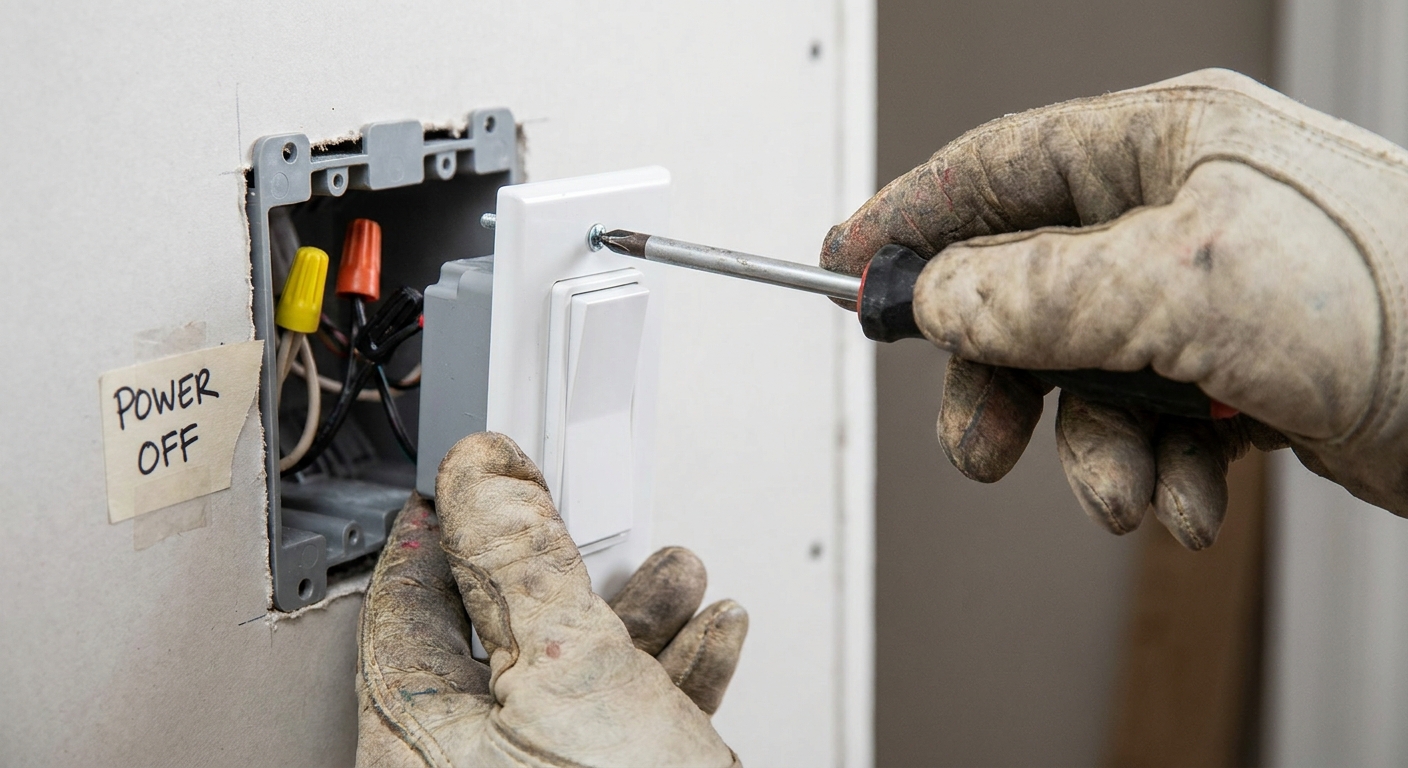
Always follow the dimmer’s manual and turn off power at the breaker before opening the faceplate.
Buzzing: what it means
A little sound can happen when electronics work hard, but noticeable buzzing is a sign something is unhappy.
- Buzz at the dimmer: can come from certain dimmer designs, an incompatible dimming method, or a load that sits outside the dimmer’s comfort zone.
- Buzz at the fixture: can be the LED driver reacting to the dimming waveform.
Fixes that often help:
- Use a compatible dimmer type (often trailing-edge or ELV when supported).
- Use identical bulbs on the circuit.
- Avoid pushing the lowest end of the dimming range if it triggers noise.
Flicker vs phone shimmer
One quick reassurance: your phone camera can make perfectly comfortable LEDs look like they are pulsing, because cameras and LEDs can interact in weird ways. If you only notice flicker through a camera, but not with your eyes, it may be harmless. If you notice it with your eyes, or it gives you headaches or eye strain, treat it as a real comfort problem and work through the compatibility and load checks above.
Safety notes before swapping a dimmer
- Turn power off at the breaker and confirm it is off before touching wiring.
- Match the dimmer to your wiring setup, including whether a neutral wire is required.
- Use the correct dimmer for single-pole vs 3-way circuits and only use compatible companion controls.
- If anything feels uncertain, an electrician can make the swap quickly and safely.
LED flicker FAQ
Why do LEDs flicker more than incandescent bulbs?
Incandescent filaments naturally smooth out changes in power because they stay hot between cycles. LEDs rely on electronic drivers, and some drivers respond poorly to the chopped waveform created by dimmers.
Do I need an ELV dimmer for LED bulbs?
Not always. Many dimmable LED bulbs work well on LED-rated triac dimmers. ELV dimmers become more important when a fixture or driver specifically calls for ELV, or when you want the best chance at smooth, quiet dimming.
Can the wrong dimmer damage LED bulbs?
More often you will see poor performance than immediate failure, but the wrong control can stress a driver and shorten bulb life. In some cases it can contribute to overheating or nuisance shutdowns. The best fix is always to follow the bulb or fixture compatibility guidance.
My LED flickers even without a dimmer. What now?
Try a different bulb first. If flicker continues, check for a loose bulb, a loose fixture connection, or a failing driver. If multiple fixtures flicker in the home, it can also be a power quality issue worth having evaluated.
A calm, steady glow is possible
LED flicker feels mysterious until you remember this: dimmers do not just lower brightness. They change the shape of the power your LED driver receives. Match the driver to the right dimmer type, confirm your LED load is within range, and use low-end trim when available. That is how you trade strobe-like frustration for a smooth, cozy dim that makes a room feel like a soft landing.